Features - Audit Trail

Preserve the evidence behind every KYB decision

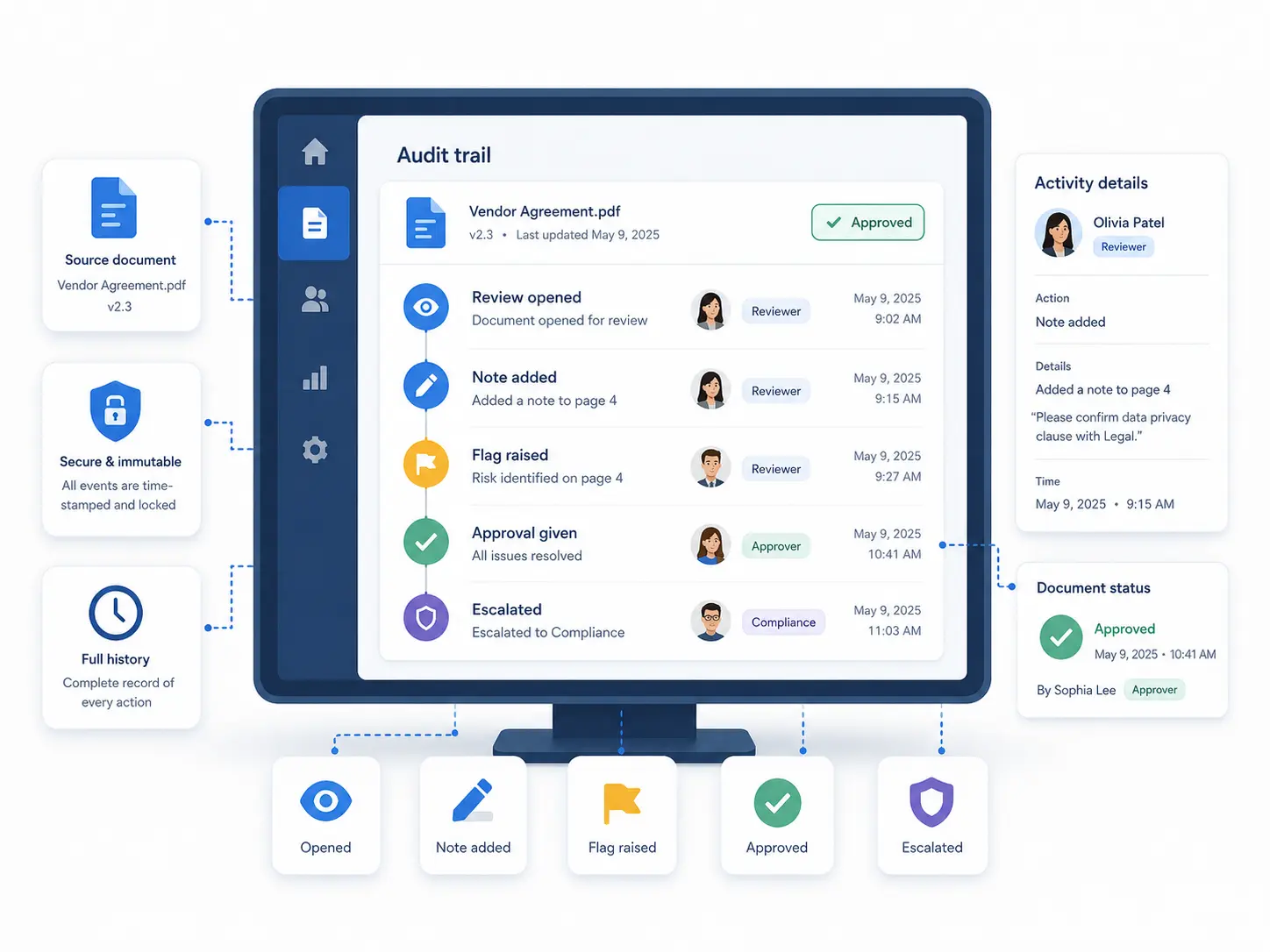
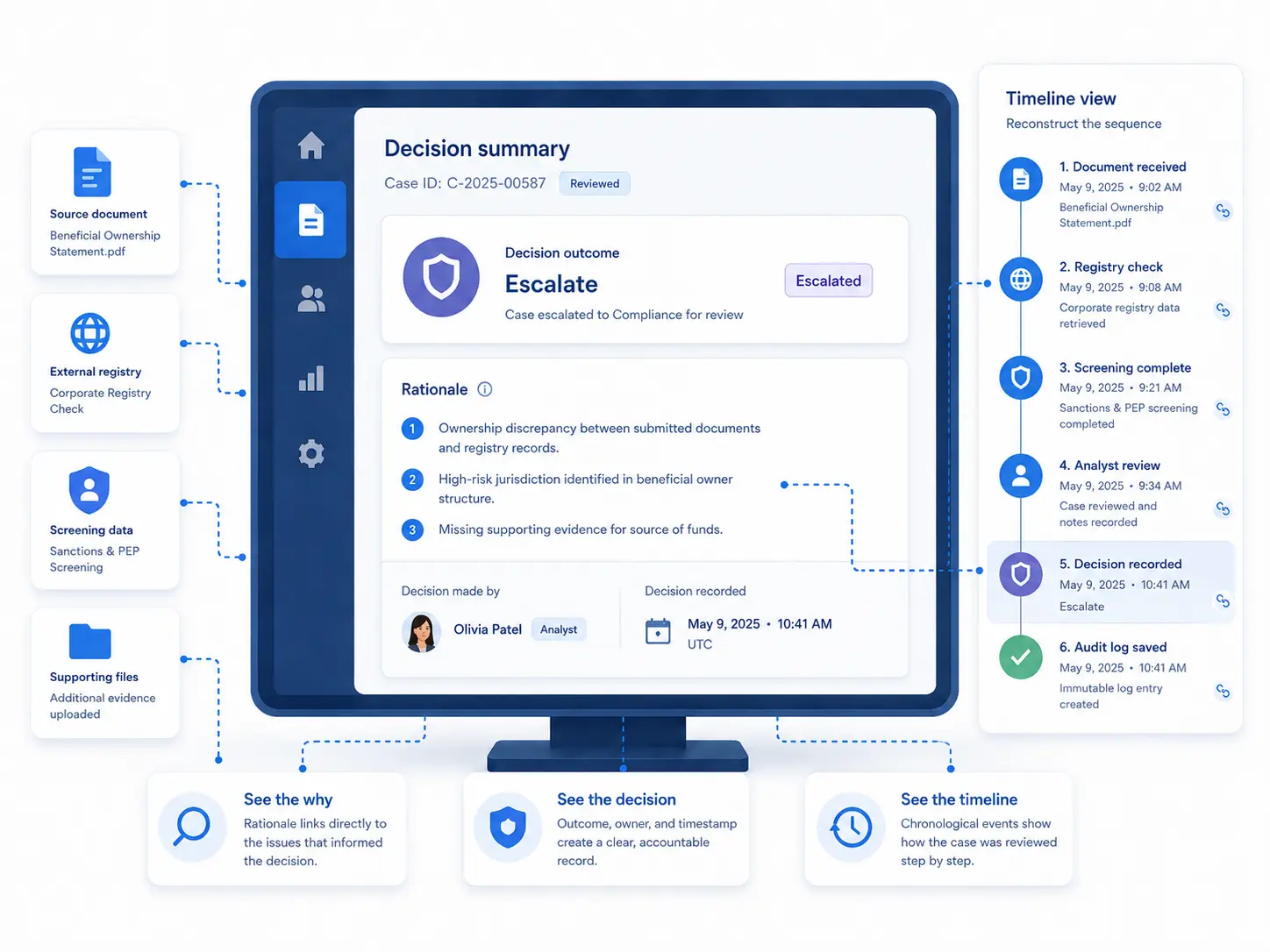
Keep every check, source, and reviewer action traceable with timestamps and rationale, so audits and partner reviews are faster and defensible.
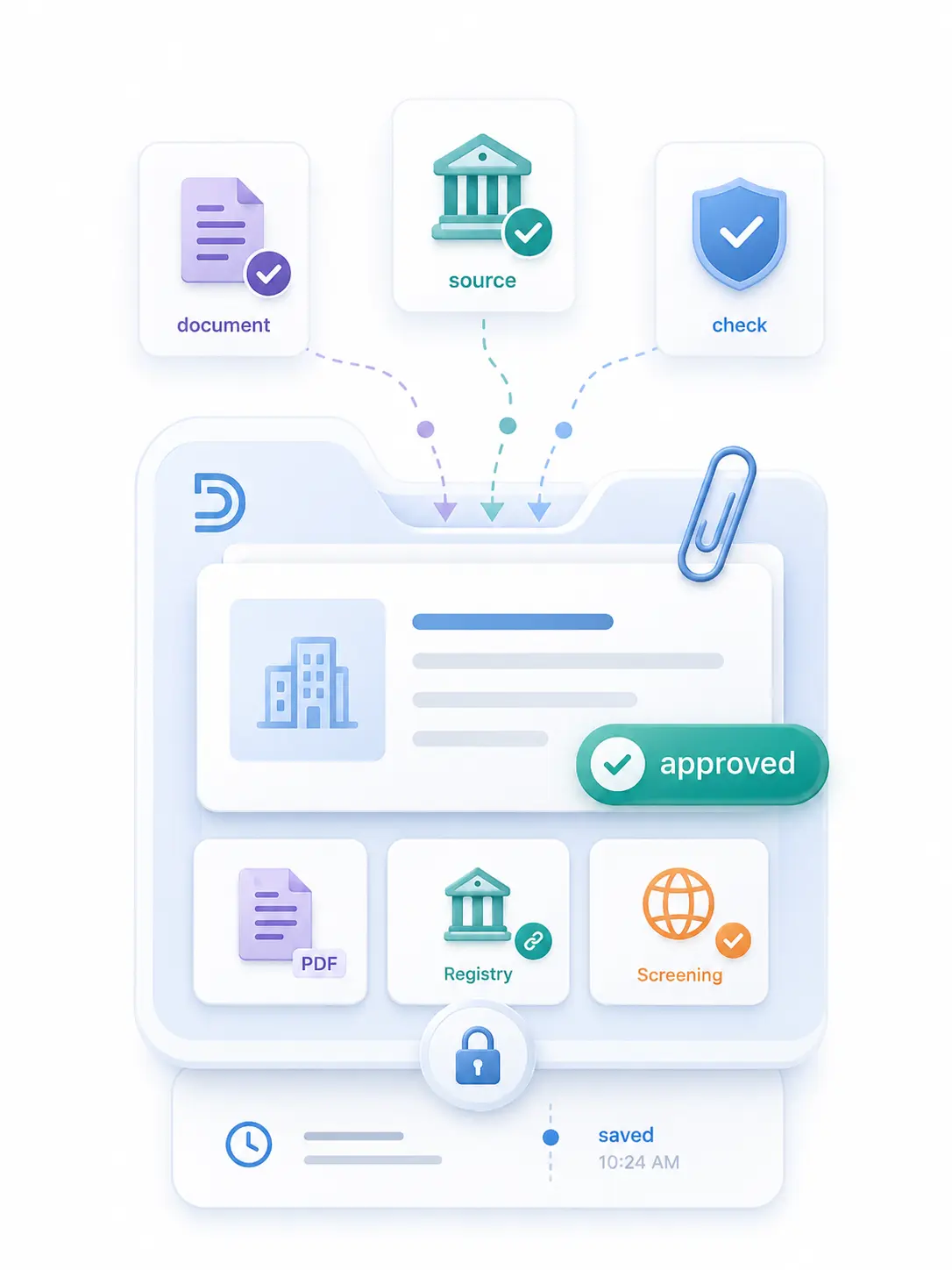
Evidence • Rationale • History
Evidence layer

What Detelio logs in the audit trail

A chronological record of checks, actions, and outcomes tied to one KYB case timeline.
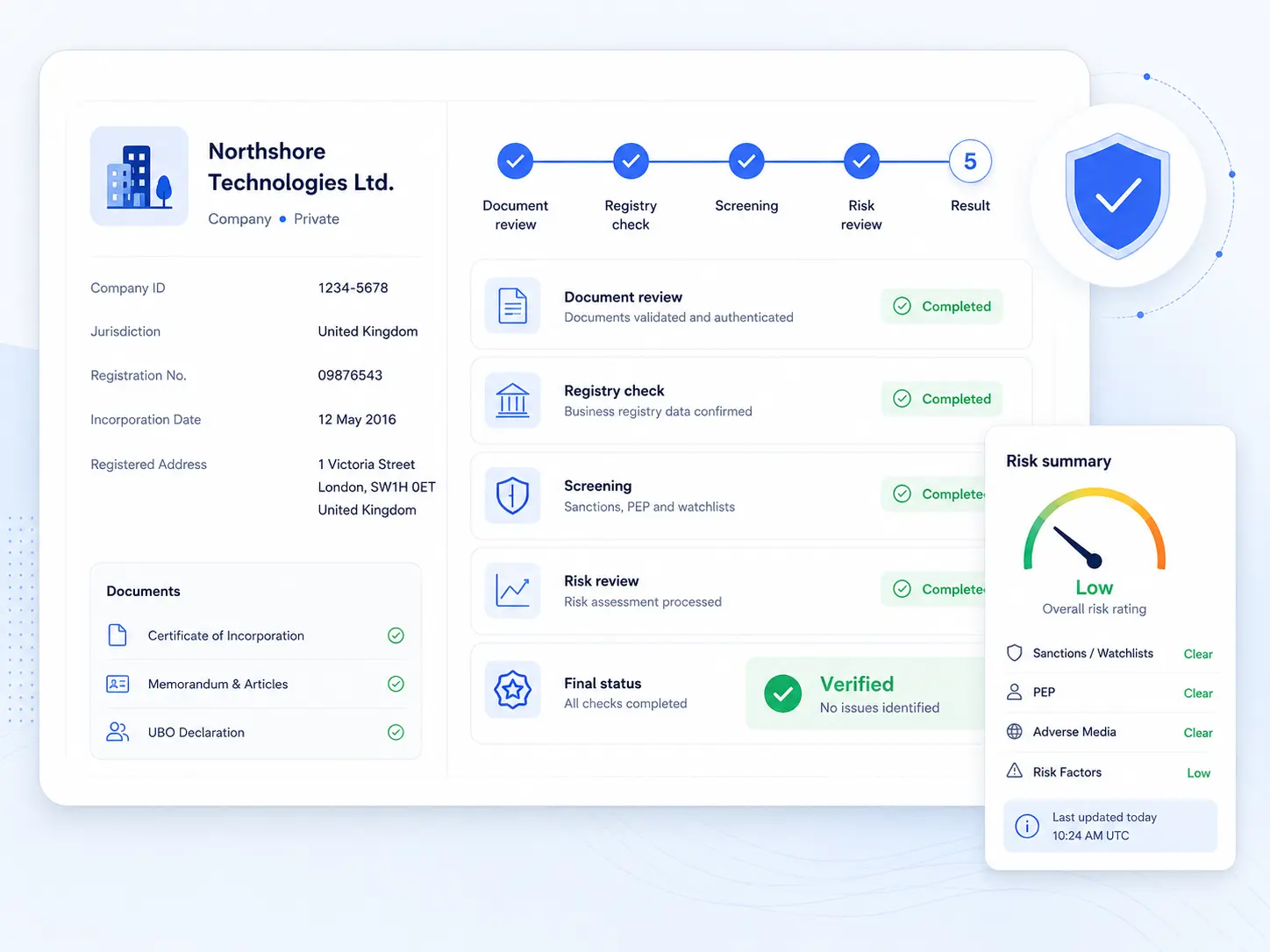
Verification and screening runs

Every check is logged with a timestamp, source reference, and outcome.

Status indicator showing a verified checkmark icon inside a badge.
Registry check executed (source + run time)
Status indicator showing a verified checkmark icon inside a badge.
Screening completed (result status)
Status indicator showing a verified checkmark icon inside a badge.
Data snapshot stored (what was checked)
Status indicator showing a verified checkmark icon inside a badge.
Exceptions flagged (why it matters)

Reviewer activity

Reviewer actions are recorded for traceability and accountability.
Status indicator showing a verified checkmark icon inside a badge.
Evidence requested (what + when)
Status indicator showing a verified checkmark icon inside a badge.
Notes added (who + timestamp)
Status indicator showing a verified checkmark icon inside a badge.
Queue routing changes (where it moved)
Status indicator showing a verified checkmark icon inside a badge.
Status updates (open → resolved)

Outcomes with rationale

Decisions include rationale so audits can reconstruct the timeline.
Status indicator showing a verified checkmark icon inside a badge.
Outcome recorded (approve/restrict/escalate)
Status indicator showing a verified checkmark icon inside a badge.
Reason codes saved (structured)
Status indicator showing a verified checkmark icon inside a badge.
Sources attached (evidence trail)
Status indicator showing a verified checkmark icon inside a badge.
Overrides tracked (who changed what)

Audit packages on demand

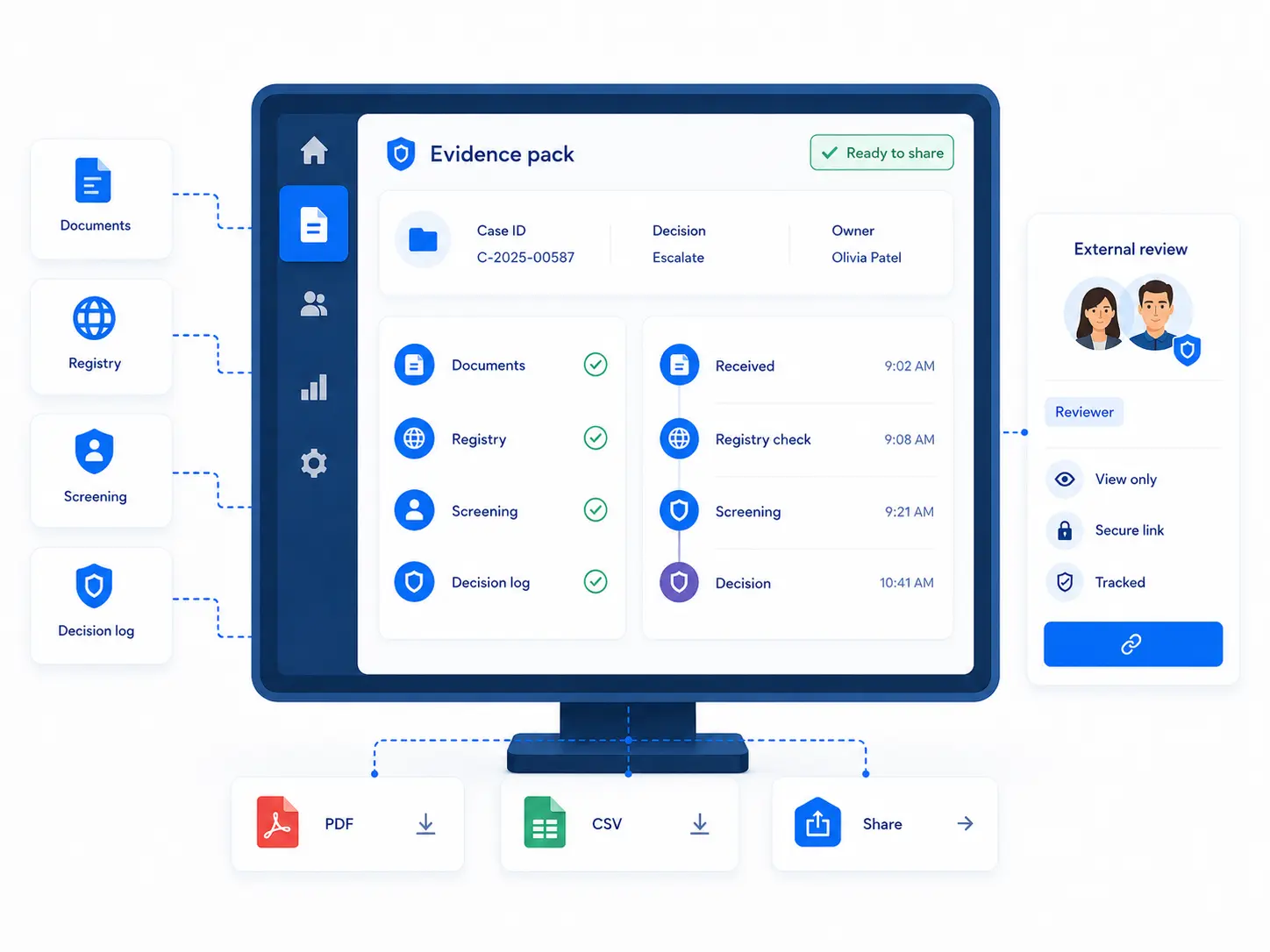
Exportable evidence for audits and partner reviews.

Status indicator showing a verified checkmark icon inside a badge.
Case timeline export (chronological)
Status indicator showing a verified checkmark icon inside a badge.
Evidence bundle (referenced files)
Status indicator showing a verified checkmark icon inside a badge.
Decision + rationale summary
Status indicator showing a verified checkmark icon inside a badge.
PDF / CSV package generated

* Access to audit logs is typically role-controlled, and retention is defined by policy.

Workflow

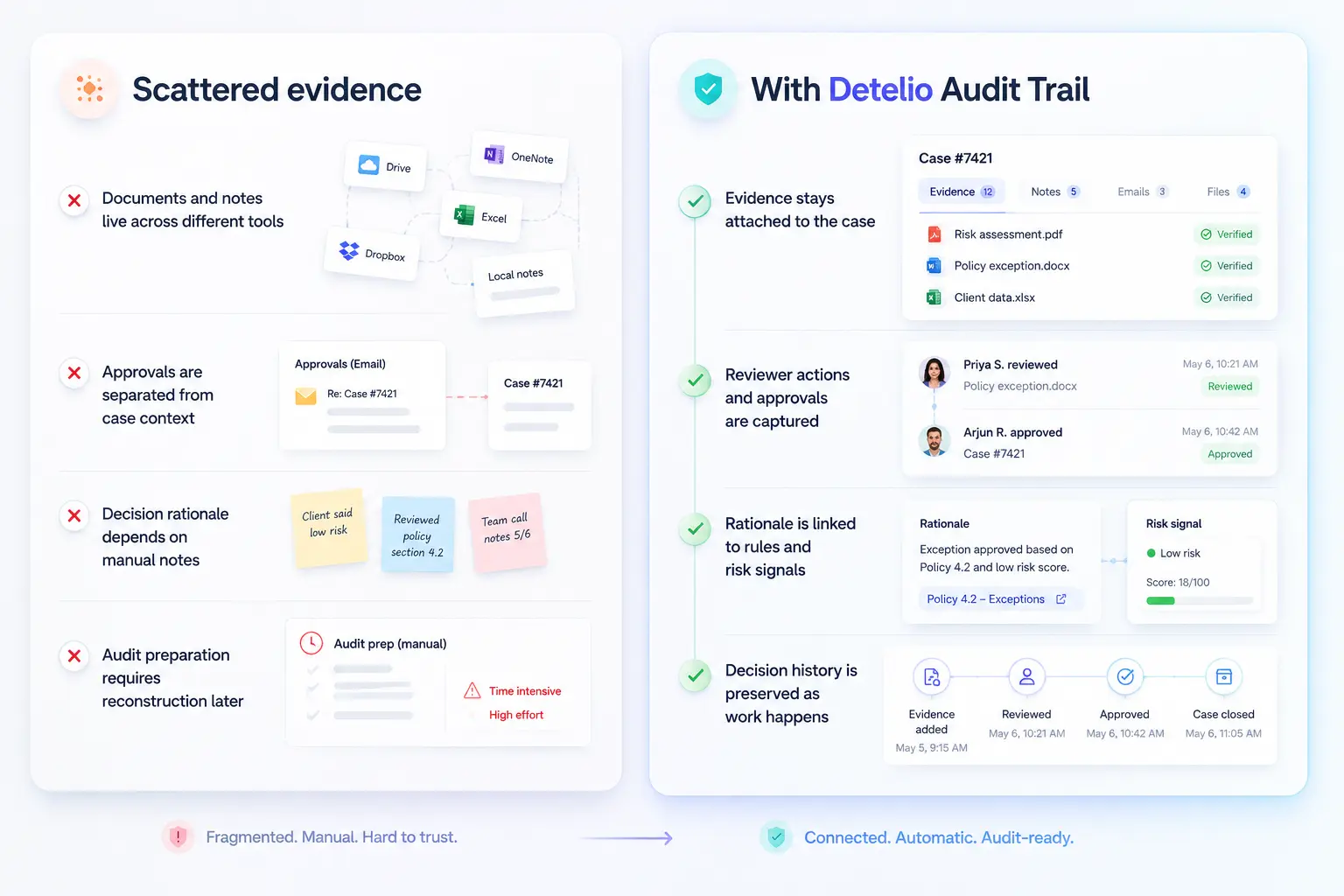
How Audit Trail works in Detelio

01

Attach evidence

Documents, business details, ownership context, and source outputs stay connected to the case.

02

Capture actions

Review steps, escalations, approvals, requests, and updates are recorded as work happens.

03

Record rationale

Rules triggered, risk signals, reviewer notes, and decision context are preserved with the case.

04

Keep history reviewable

Timestamps, changes, actions, and decisions remain available for later review and audit preparation.

Control

Evidence that stays organized and reviewable

Audit history is only useful when teams can understand what happened, when it happened, and why

Structured case history

Keep actions, decisions, documents, and changes organized around the business customer case.

Review context

Show the rules, risk signals, and reviewer actions that shaped the case outcome.

Change visibility

Track updates over time so teams can see how the case evolved after onboarding.
Information icon for a detailed summary.
The goal is not more logs. The goal is clearer evidence your team can actually use.
Let’s chat
Right-facing arrow button to proceed to the next step.
Questions buyers actually ask

The Audit-trail FAQ

Real questions from compliance teams evaluating Detelio. If something's missing, ask us in the demo — we'd rather over-share.

What does the audit trail include by default?

Expand section details

Checks, sources, timestamps, reviewer actions, and decision rationale tied to one case timeline.

Can we export an audit package for partners or regulators?

Expand section details

Yes. Export a case timeline plus supporting evidence as a shareable package (PDF/CSV).

Who can access audit logs?

Expand section details

Access is controlled by roles and permissions so only authorized users can view or act on records.

Do monitoring events appear in the same timeline?

Expand section details

Yes. Triggers, re-reviews, and outcomes can stay attached to the original KYB case record.

Can we keep logs aligned with our retention policy?

Expand section details

Yes. Teams define retention and export practices to match internal policy requirements.

See how Audit Trail would support your KYB reviews
We’ll walk through your evidence capture, approval history, decision rationale, and audit preparation requirements.

Request a demo