PRODUCT
Features

KYB automation features

Browse Detelio modules and capabilities. Jump straight to automation, decisioning, monitoring, or the audit trail.
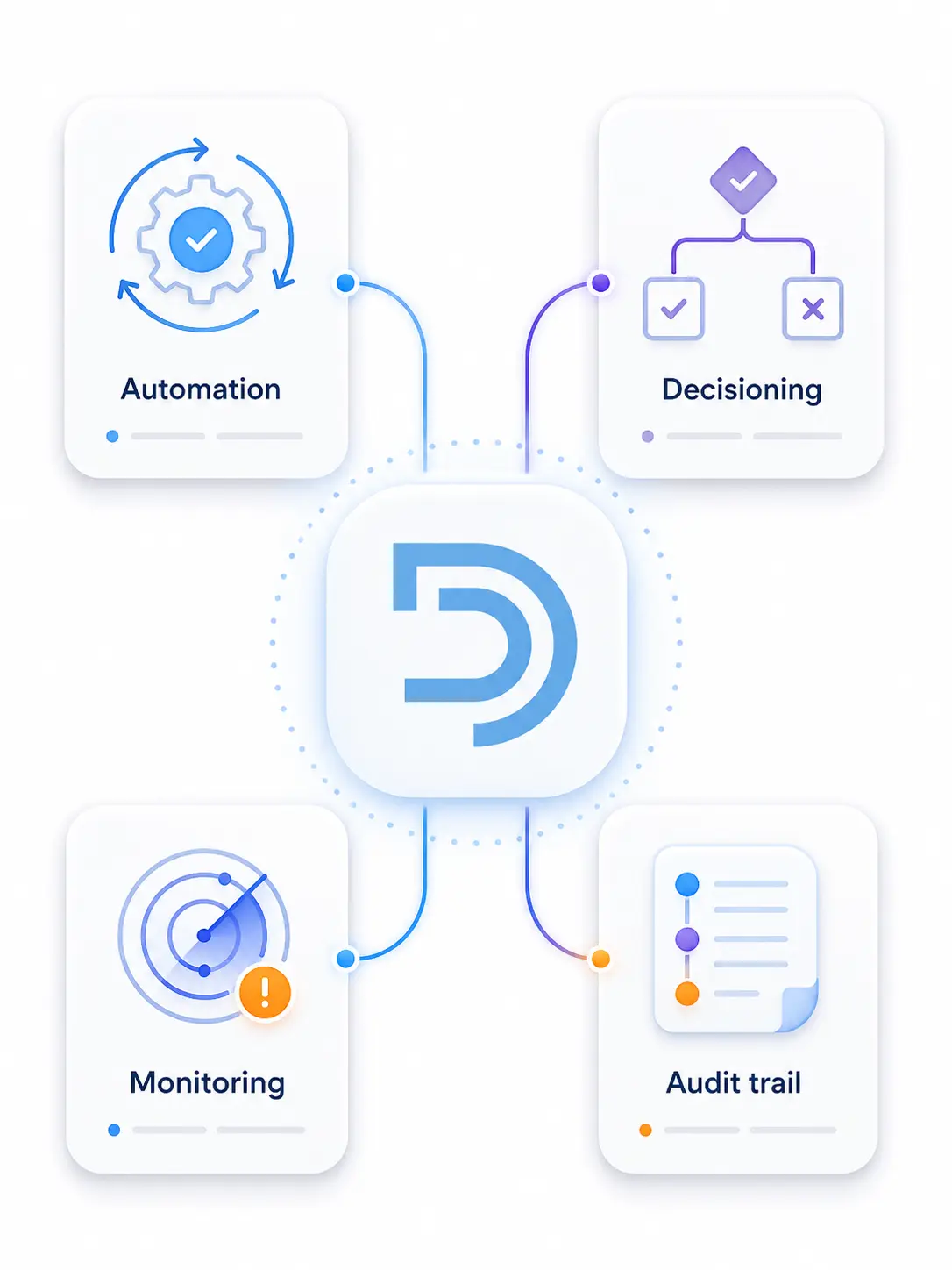
4 modules • Configurable workflows • Audit-ready by default

Platform modules

Four modules. Each opens a dedicated page with details and examples.

Choose the right starting point

Common goals and the module that typically delivers the fastest impact

Start with: Automation

Reduce manual review volume

Standardize evidence intake and run repeatable KYB checks.

Go to automation
Right-facing arrow button to proceed to the next step.
Start with: Decision engine

Make approvals defensible

Route cases by risk and record consistent rationale.

Go to decision engine
Right-facing arrow button to proceed to the next step.
Start with: Monitoring

Catch changes after approval

Trigger re-reviews when risk signals change over time.

Go to monitoring
Right-facing arrow button to proceed to the next step.
Start with: Audit trail

Prepare for audits and reviews

Keep sources, actions, and decisions traceable end-to-end.

Go to audit trail
Right-facing arrow button to proceed to the next step.
Start with: Decision engine

Standardize EDD escalation

Apply thresholds and routing rules consistently.

Go to decision engine
Right-facing arrow button to proceed to the next step.
Start with: Monitoring

Operationalize re-reviews

Turn triggers into queues and structured follow-ups.

Go to monitoring
Right-facing arrow button to proceed to the next step.

Where features fit in the KYB lifecycle

Intake

Capture evidence and requirements consistently across workflows.

Go to automation
Right-facing arrow button to proceed to the next step.
Verification

Run repeatable checks and store results on the case record.

Go to automation
Right-facing arrow button to proceed to the next step.
Decision

Approve, restrict, or escalate with reviewer-ready rationale.

Go to decision engine
Right-facing arrow button to proceed to the next step.
Monitoring

Detect changes and trigger structured re-reviews.

Go to monitoring
Right-facing arrow button to proceed to the next step.
Audit

Keep sources, actions, and outcomes traceable end-to-end.

Go to audit trail
Right-facing arrow button to proceed to the next step.
CONFIGURATION

What teams configure in Detelio

Practical knobs compliance and ops teams set to match KYB policy, routing, and monitoring requirements

Configuration area
Typical inputs
What Detelio automates
Escalate when
Workflow requirements
Checklist items, required fields
Evidence collection completeness checks
Required evidence missing
Risk factors
Jurisdiction, ownership, activity
Risk inputs captured consistently
High-risk combinations appear
Decision thresholds
Score bands, rule
Approve / restrict / escalate logic
Threshold boundary cases
Routing & queues
Teams, roles, SLAs
Assignment and reviewer routing
Queue exceptions or overrides
Monitoring triggers
Status / ownership / screening changes
Alerts + re-review task creation
Material change detected
Review rationale format
Reason codes, notes
Structured rationale capture
Rationale incomplete or inconsistent
Audit outputs
Log fields, exports
Case timeline + evidence packaging
Audit request or exception review

Works with your stack

Connect Detelio to your workflows via integrations, API, and security controls

Code brackets icon representing developer API access.
API
Authentication, endpoints, examples, and errors for implementation teams.
View API
Right-facing arrow button to proceed to the next step.
Integrations icon showing connected software nodes.
Integrations
Native connectors plus custom integrations via webhooks and REST API.
View integrations
Right-facing arrow button to proceed to the next step.
Shield and padlock icon representing security settings.
Security
Platform controls for access, data protection, and audit readiness.
View security
Right-facing arrow button to proceed to the next step.

Features FAQ

Short answers about choosing modules, configuration, and auditability

Can we start with one module and add others later?

Expand section details

Yes. Teams often start with one module and expand as workflows mature, while keeping everything tied to the same audit trail.

What’s the difference between Automation and Decision engine?

Expand section details

Automation standardizes evidence intake and repeatable checks. The Decision engine routes cases by risk and records defensible outcomes.

How do monitoring triggers relate to re-review workflows?

Expand section details

Triggers detect changes and open structured re-review tasks so teams can reassess decisions based on new signals.

What gets logged in the audit trail by default?

Expand section details

Checks, sources, outcomes, reviewer actions, and decision rationale are logged and attached to the KYB record.

Where should we start if we want fewer manual escalations?

Expand section details

Start with Automation to reduce prep work, then add Decision engine routing to escalate only the edge cases.

See the modules in your KYB workflow
We’ll map your requirements to the right starting module and show how teams scale into automation, decisioning, monitoring, and audit logging.
Schedule a demo