
PRODUCT
Integrations

Works with your stack

Connect Detelio to your onboarding, risk, and ops tools. Use prebuilt connectors where available and fall back to API + webhooks everywhere else.
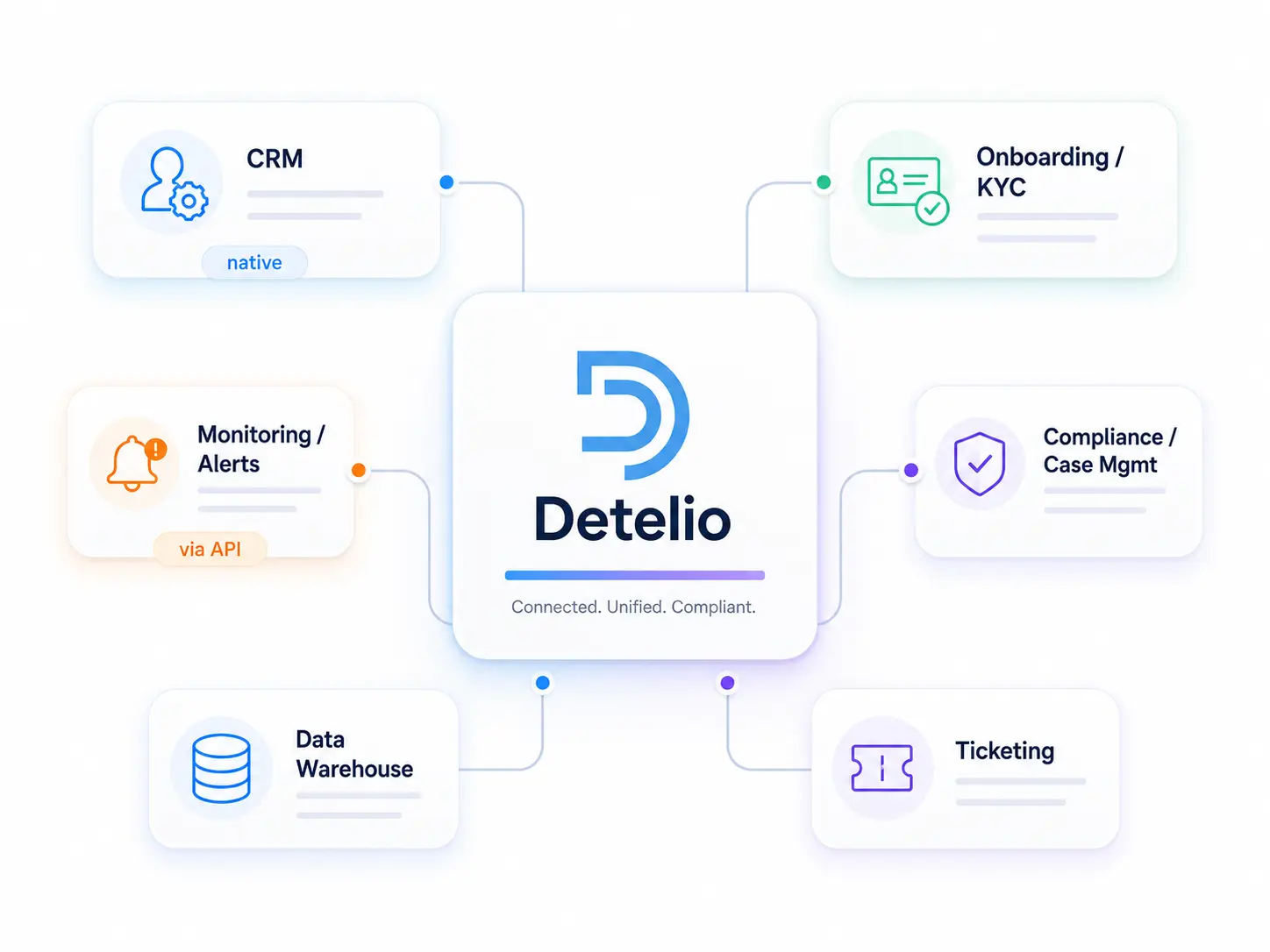
Onboarding • Risk • Operations
Use prebuilt connectors
REST API
Webhooks
SSO
SIEM
Case Export

Onboarding & KYC

Connect your signup flow to KYB checks, document intake, and identity signals

Document intake

Uploads and metadata from your onboarding flow into a Detelio case.

Via API
View setup
Right-facing arrow button to proceed to the next step.

Identity provider

Pull identity signals and pass results to decision routing.

Native
View setup
Right-facing arrow button to proceed to the next step.

Form builder

Create cases from submitted company details and attachments.

Via webhooks
View setup
Right-facing arrow button to proceed to the next step.

CRM handoff

Sync onboarding status and outcomes back to your CRM.

Via API
View setup
Right-facing arrow button to proceed to the next step.

Ticketing

Create review tasks when cases escalate for manual checks.

Via webhooks
View setup
Right-facing arrow button to proceed to the next step.

Compliance & case management

Keep cases, evidence, and escalations synced with the tools your compliance team uses daily

Case management sync

Push case status, owners, and outcomes into your system of record.

Via API
View setup
Right-facing arrow button to proceed to the next step.

Review queue escalations

Create tasks when routing escalates and close them when resolved.

Via webhooks
View setup
Right-facing arrow button to proceed to the next step.

Evidence vault

Attach export packages and verification artifacts to the right case.

Via API
View setup
Right-facing arrow button to proceed to the next step.

Audit reporting

Send key fields to reporting for oversight and audits.

Via API
View setup
Right-facing arrow button to proceed to the next step.

Risk & monitoring

Trigger re-checks, route alerts, and sync monitoring events to the systems your team uses every day

Monitoring alerts

Send change events and risk triggers to your alerting pipeline.

Via webhooks
View setup
Right-facing arrow button to proceed to the next step.

Re-review workflow

Create review tasks when monitoring triggers require action.

Via webhooks
View setup
Right-facing arrow button to proceed to the next step.

SIEM / security logging

Forward key events for centralized security and compliance visibility.

Via API
View setup
Right-facing arrow button to proceed to the next step.

Data warehouse sync

Stream event fields for analytics, oversight, and reporting.

Via API
View setup
Right-facing arrow button to proceed to the next step.

Messaging

Notify channels when cases escalate or monitoring triggers fire.

Via webhooks
View setup
Right-facing arrow button to proceed to the next step.

Case updates back to your app

Keep user or account state in sync with routing outcomes.

Via API
View setup
Right-facing arrow button to proceed to the next step.

Data & warehouse

Stream cases, decisions, and event history into your analytics and reporting stack

Data warehouse sync

Push normalized case and event fields for analytics and oversight.

Via API
View setup
Right-facing arrow button to proceed to the next step.

ETL / ingestion

Load Detelio exports or API pulls into your pipelines on schedule.

Via API
View setup
Right-facing arrow button to proceed to the next step.

Reverse ETL

Send risk status and routing outcomes back into ops tools from the warehouse.

Via API
View setup
Right-facing arrow button to proceed to the next step.

BI reporting

Power dashboards for approvals, escalations, and monitoring triggers.

Via API
View setup
Right-facing arrow button to proceed to the next step.

Archive exports

Store export packages for retention and evidence workflows.

Via API
View setup
Right-facing arrow button to proceed to the next step.

Event stream to analytics

Capture webhook events for near real-time reporting.

Via webhooks
View setup
Right-facing arrow button to proceed to the next step.

Ticketing & ops

Turn escalations into tracked tasks and keep stakeholders updated without manual chasing

Ticket creation on escalation

Auto-create a ticket when a case routes to review.

Via webhooks
View setup
Right-facing arrow button to proceed to the next step.

Bi-directional status sync

Keep case status aligned between Detelio and your ops system.

Via API
View setup
Right-facing arrow button to proceed to the next step.

Assignment & SLA routing

Route tasks by region, risk level, or queue ownership.

Via API
View setup
Right-facing arrow button to proceed to the next step.

Approval workflows

Trigger approval steps for restrict/escalate outcomes.

Via webhooks
View setup
Right-facing arrow button to proceed to the next step.

Ops notifications

Send key events to ops channels for visibility.

Via webhooks
View setup
Right-facing arrow button to proceed to the next step.

Messaging

Route escalations and monitoring triggers to the channels your team already watches

Chat notifications

Send escalation and monitoring events to chat channels.

Via webhooks
View setup
Right-facing arrow button to proceed to the next step.

Email alerts

Trigger email notifications for high-risk changes and reviews.

Via webhooks
View setup
Right-facing arrow button to proceed to the next step.

Incident alerts

Page on critical monitoring triggers or policy violations.

Via webhooks
View setup
Right-facing arrow button to proceed to the next step.

Digest summaries

Daily/weekly summaries of approvals, escalations, and triggers.

Via API
View setup
Right-facing arrow button to proceed to the next step.
Need an integration plan for your stack?
We’ll recommend the fastest path: native, webhook-first, or API-driven, with review and audit requirements covered.
Request a demo